

Global Broker Regulation Inquiry App
About WikiFX
English
简体中文
繁體中文
English
Pусский
日本語
ภาษาไทย
Tiếng Việt
Bahasa Indonesia
Español
हिन्दी
Filippiiniläinen
Français
Deutsch
Português
Türkçe
한국어
العربية
اردو


FXPesa Login and Registration Guide for New Traders

WikiFX
|


Abstract:Step-by-step FXPesa login and registration instructions. Learn how to open an account, verify identity, and access trading platforms.
How to Register and Log in to FXPesa?
New users can open an account with FXPesa in minutes. Registration requires valid identification and proof of address. Traders then access their dashboard for trading, funding, and platform downloads.
Step-by-step registration process:
Step 1: Visit fxpesa.com and click “START TRADING”
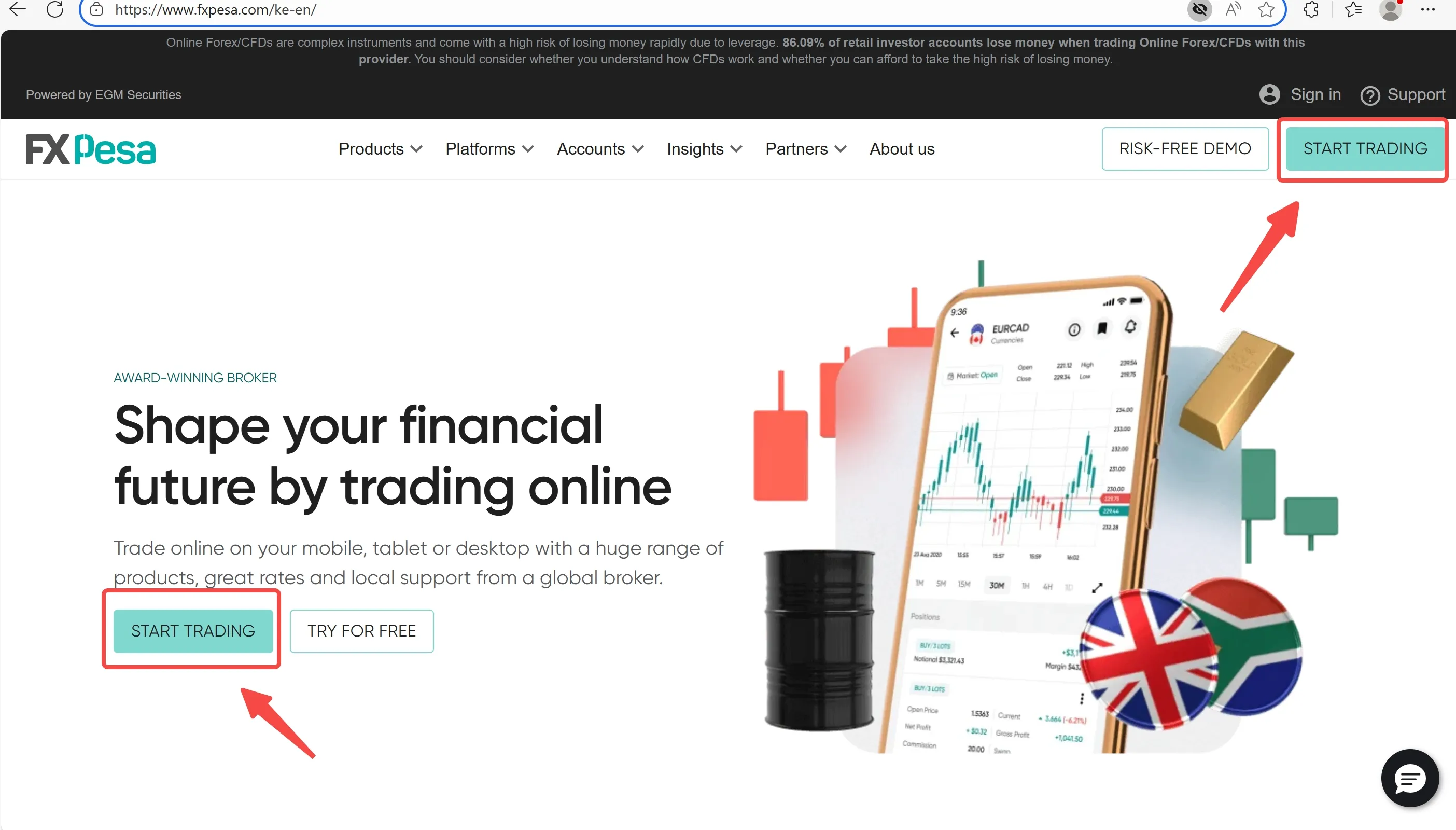
Step 2: Enter personal details and create a secure password
Step 3: Upload ID and proof of address for KYC verification
Step 4: Wait for account approval (usually within 24 hours)
Step 5: Fund your account and log in to any platform (MT4, MT5, app)
FAQs about FXPesa Login & Registration
Can I open an account from any country?
FXPesa mainly targets Kenya and East Africa. Global access may vary.
Do I need to verify my identity?
Yes. KYC verification is required before full access.
How long does verification take?
Typically less than 24 business hours.
Can I access my account on mobile?
Yes. FXPesas app supports full account access.
Is 2FA available?
The website does not specify this; traders should check with support.
Can I use a demo account without full registration?
Yes, but KYC may be required to extend access beyond 90 days.
Disclaimer:
The views in this article only represent the author's personal views, and do not constitute investment advice on this platform. This platform does not guarantee the accuracy, completeness and timeliness of the information in the article, and will not be liable for any loss caused by the use of or reliance on the information in the article.
WikiFX Broker
Latest News
U.S. Dollar Moves Away From Session Highs As Treasury Yields Drop: Analysis For EUR/USD, GBP/USD, USD/CAD, USD/JPY
WikiFXEMAR MARKETS Review: What Traders Should Know Before Depositing
WikiFXMan Sells His House to Invest, Only to Lose RM132,590 in Forex Scam
WikiFXOtetMarkets Review 2026: Reported Account Block, Bonus Abuse & Withdrawal Delay Claims
WikiFX92 Claims, No Sources: The Trump Scorecard Line That Touches India
WikiFXRBI Tightens Rupee Derivative Rules as Currency Hovers Near Record Low
WikiFXRupee Fell to ₹97, Clawed Back to ₹94.5 — The $15.4 billion Oil Bill is Still There
WikiFXXTrend Speed Broker Exposed: What Are Other Traders Saying About This Broker?
WikiFXFinsure Turns Away 13 Brokers as AI Tool Flags Hidden Links
WikiFXJPMorgan Reportedly Deposits 50 Billion Naira With Nigeria's Central Bank in Merchant Banking Push
WikiFX