

Global Broker Regulation Inquiry App
About WikiFX
English
简体中文
繁體中文
English
Pусский
日本語
ภาษาไทย
Tiếng Việt
Bahasa Indonesia
Español
हिन्दी
Filippiiniläinen
Français
Deutsch
Português
Türkçe
한국어
العربية
اردو


Octa Login Guide — Create, Verify, and Secure Your Account

WikiFX
|


Abstract:A clear Octa login, app walkthrough: sign-up, KYC verification, 2FA security, web/app login, MT4/MT5 credentials, troubleshooting, and FAQs for smooth access.
 Contents
How New Traders Start with Octa?
We structure onboarding around security first because this is YMYL content. Octa serves multiple regions via different legal entities. In the EU, the operating company is Octa Markets Cyprus Ltd (CySEC license 372/18, Market Making). That matters for KYC, leverage caps, and promotions.
Our approach is simple: create the profile, pass KYC, enable 2FA, then connect the app and your chosen platform (OctaTrader/MT4/MT5).
Create an Account — Step by Step
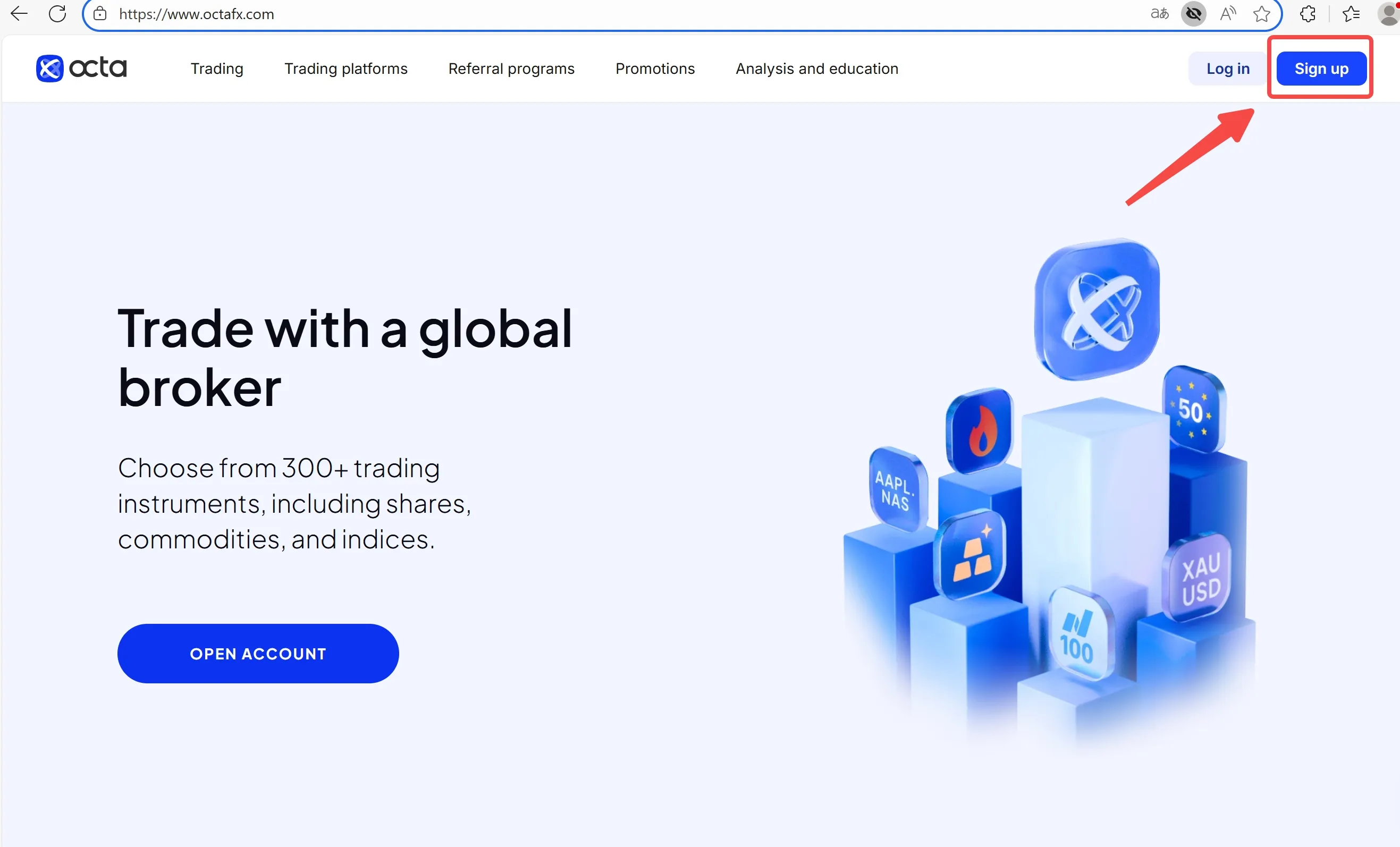
Step 1. Hit Sign up on Octas website or install the Octa app (iOS/Android) and tap Create account.
Step 2. Enter email (or phone), set a strong password, and confirm your country/region (this drives your legal entity and leverage).
Step 3. Complete Profile: full name, DOB, address, and trading experience (where required).
Step 4.Verify identity (KYC): upload a government ID and (if asked) address proof. Octa indicates verification typically completes within 1–2 working hours.
Step 5.Enable 2FA (authenticator app or SMS). We treat this as mandatory for any real-money use.
Step 6. Open a demo or live account; choose platform (OctaTrader/MT4/MT5), base currency, and leverage tier shown for your region.
Step 7.Deposit from the secure client area or the app (fees and methods are region-specific).
Step 8. Start trading in the app (OctaTrader) or connect your MT4/MT5 terminal with the credentials sent to you.
Log in on Web & App — Exact Click Path
Web login
Step 1. Go to Octas homepage → Log in.
Step 2. Enter email/phone + password → complete 2FA.
Step 3. Pick your account (demo/live), then launch OctaTrader in browser or copy MT4/MT5 server/name and account number to your desktop/mobile terminal.
App login (Octa app)
Step 1. Open the Octa app → Log in.
Step 2. Email/phone + password → 2FA.
Step 3. From Accounts, tap your live or demo account:
- OctaTrader: trade directly in-app.
- MT4/MT5: tap Account details to view server and login; paste into your MT terminal.
MT4/MT5 tip we use internally: make sure the server name exactly matches what Octa shows in your cabinet. A single character off will throw “Invalid account”.
Security & Access Playbook We Follow
- 2FA on everything. Password + authenticator = baseline.
- Device hygiene. Keep the app updated; never store credentials in screenshots.
- Region-aware settings. EU login profiles inherit EU rules (e.g., lower leverage, different bonuses).
- NBP is not a stop-loss. Negative Balance Protection resets balance after a loss event; it doesnt cap intra-trade drawdowns.
Common Questions about Octa Login Access
- I cant log in—“Invalid account” in MT4/MT5. What now?
Check the server name and the account number in your Octa cabinet. MT4 vs MT5 servers differ. If you copied from an old email, refresh details in the cabinet.
- Where do I enable or change 2FA?
In Profile/Security inside the web cabinet or app. We strongly prefer an authenticator app over SMS.
- My verification is pending. Can I still trade?
You can typically use a demo account immediately. Live trading and withdrawals require KYC approval—Octa indicates ~1–2 working hours for review.
- I forgot my password—how do I reset it?
Use Forgot password on the login page or app, then follow the email/SMS link. Re-enable 2FA after resetting.
- Can I have more than one live account?
Yes, within the limits shown in your cabinet. You can open multiple accounts across OctaTrader/MT4/MT5 to separate strategies.
- Why do I see different leverage or bonuses than my friend?
Because entity and region matter. EU profiles (CySEC-regulated) have stricter caps and promotions than non-EU entities.
Disclaimer:
The views in this article only represent the author's personal views, and do not constitute investment advice on this platform. This platform does not guarantee the accuracy, completeness and timeliness of the information in the article, and will not be liable for any loss caused by the use of or reliance on the information in the article.
WikiFX Broker
Latest News
Kudotrade Review 2026: Reported Slippage & Trade Execution Issues You Should Know
WikiFXEURUSD | Demand Zone Holding, Bulls Eyeing Higher Resistance
WikiFXOROKU EDGE Review 2026: What Traders Should Know About Withdrawal & Slippage Reports
WikiFXEUR/USD: Bearish Structure Shift
WikiFXNZDCHF: Bearish Now, But Is Smart Money Preparing the Reversal?
WikiFXMalaysia To Host Asia Fintech Regulatory Summit
WikiFXSEC Alleges $16 Million Ponzi Scheme Targeted 200 Investors
WikiFXIG Faces Hundreds Of Job Cuts In Global Restructure
WikiFXValutrades Rejects Exit Rumors Amid Client Review
WikiFXWeekend CFD Trading Moves Beyond Gold as Brokers Add Oil, Silver and Indices
WikiFX