

Global Broker Regulation Inquiry App
About WikiFX
English
简体中文
繁體中文
English
Pусский
日本語
ภาษาไทย
Tiếng Việt
Bahasa Indonesia
Español
हिन्दी
Filippiiniläinen
Français
Deutsch
Português
Türkçe
한국어
العربية
اردو


TMGM Login & Demo Account — How to Register, Verify, and Start Trading?

WikiFX
|


Abstract:New to TMGM? Learn how to create a live or demo account, complete KYC, log in via the TMGM Portal and app, and manage platform credentials securely.
How Can New Traders Get Started with TMGM? (quick start)
We onboarded through the TMGM Portal: choose Live or Demo, submit personal info, verify ID, and connect MT4/MT5. Entity and product access depend on your region. The “Try Demo Account” buttons on TMGMs site link directly to the demo flows.
Opening a Live Account — step by step
- Step 1: Go to Start Trading / Sign Up from TMGMs site and select Open Live Account.
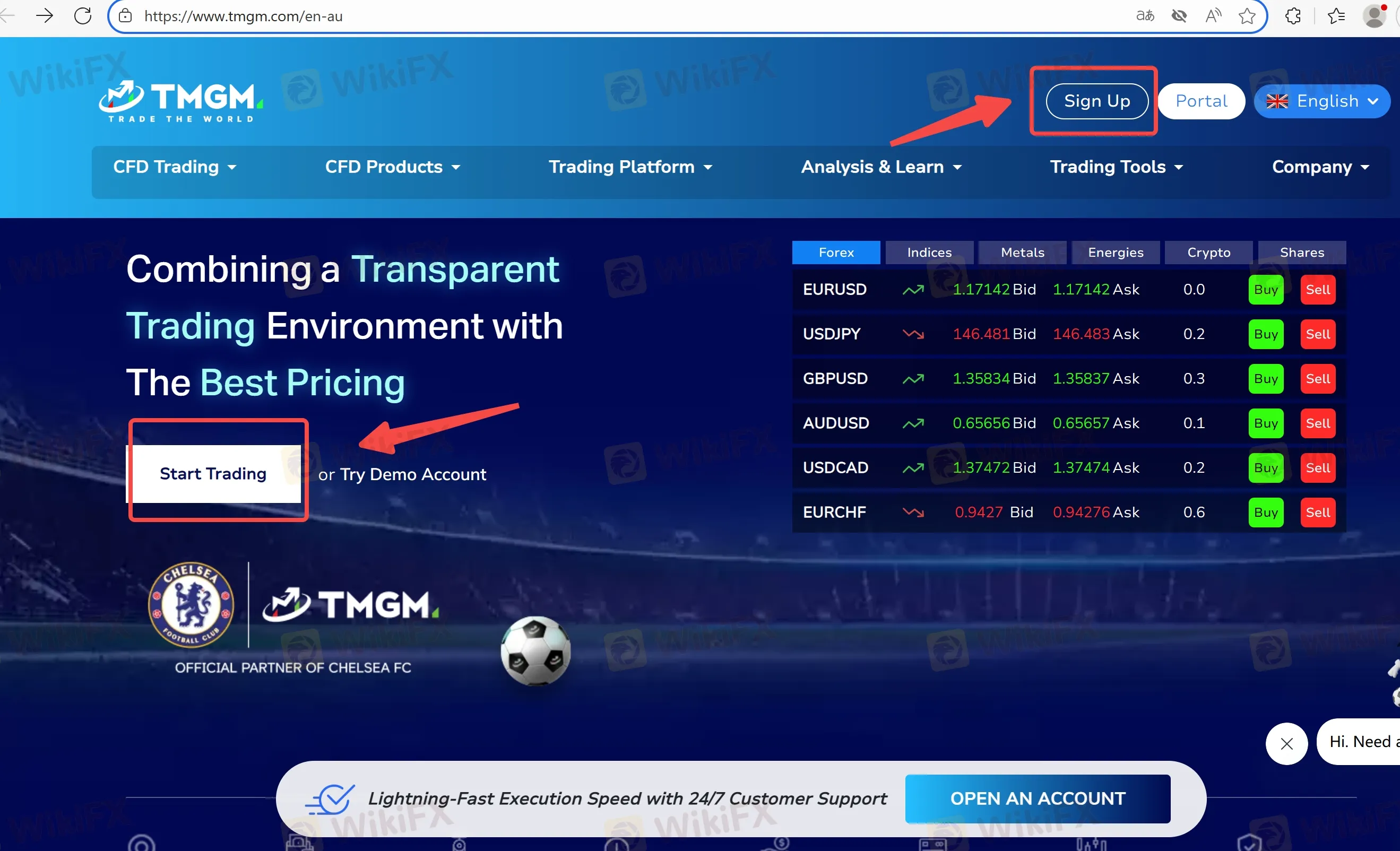
- Step 2: Fill in contact details and choose your entity/region.
- Step 3: Complete KYC (government ID, proof of address).
- Step 4: Choose Classic or Edge, then pick MT4 or MT5.
- Step 5:Fund via your portal (see supported rails and minimums for your region).
- Step 6: Download the selected platform and log in with your trading account credentials.
Creating and Using a Demo Account — step by step
- Step 1: Click Try Demo Account.
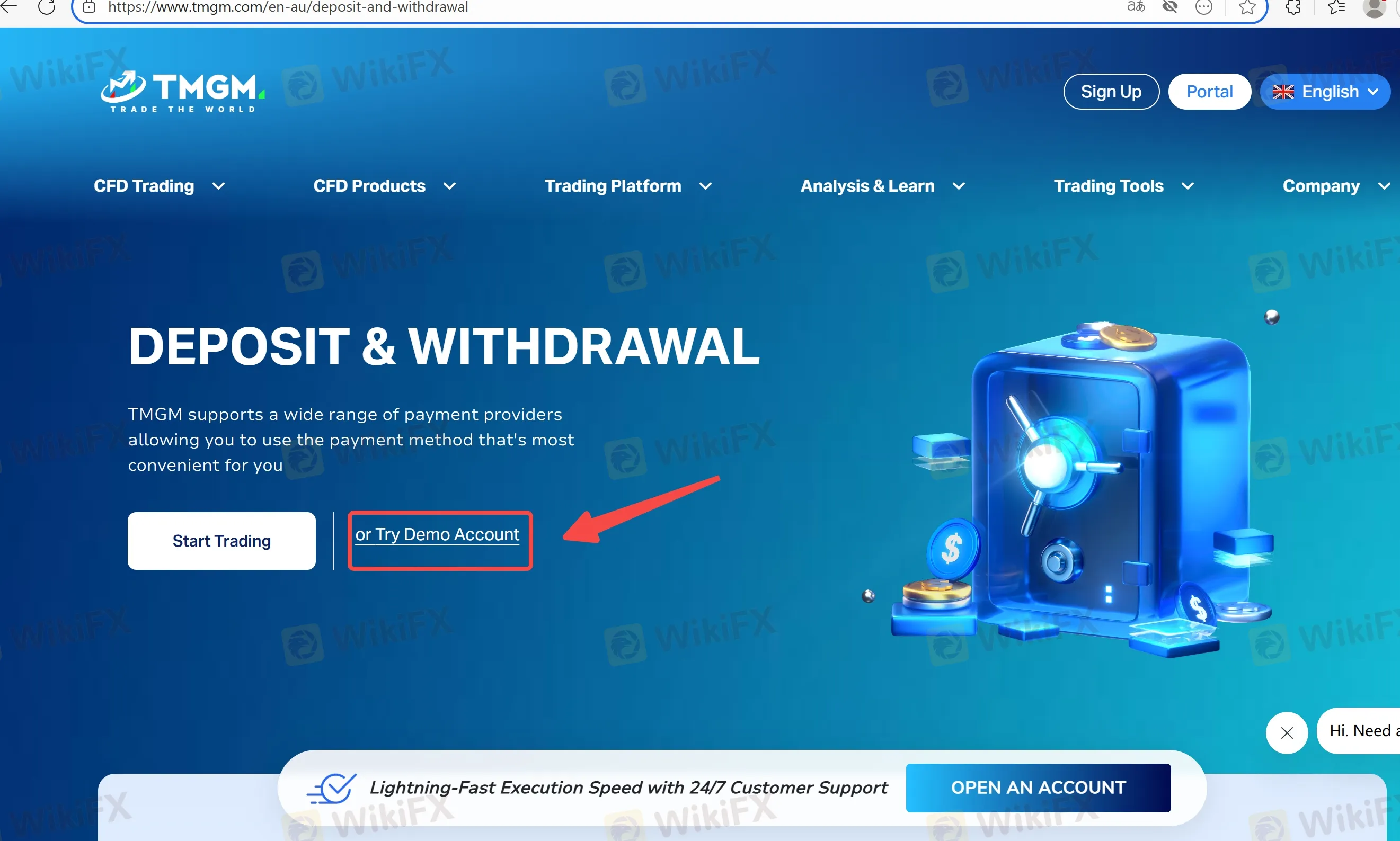
- Step 2: Choose platform (MT4/MT5), account type (Classic/Edge), and virtual balance.
- Step 3: Use the credentials issued to log into MT4/MT5.
- Step 4: Know the housekeeping: certain regional pages note demo accounts may be periodically purged (e.g., AU page: first Saturday each month). If you need persistence, back up templates and save trade logs.
Managing Logins Across Devices (security tips we use)
- Keep Portal credentials distinct from MT4/MT5 trading logins.
- Enable device lock/biometric on the TMGM app.
- Store investor-password (read-only) and master-password separately if you share statements with third parties.
FAQs about TMGM Login & Access
Q1. Where do I log in?
Via clicking Portal button on their homepage.
Q2. Does demo require KYC?
Demo access is usually lighter, but live trading requires full KYC per your entitys rules.
Q3. Why cant I log into MT4/MT5?
Ensure youre using the trading account credentials (not portal), the correct server, and a stable connection. Download links are in the platform section.
Q4. My demo disappeared—what happened?
Regional AU page notes demos can be deleted on the first Saturday of each month. Recreate a demo if needed.
Q5. Who can help if Im locked out?
Use support@tmgm.com or the contact page.
Disclaimer:
The views in this article only represent the author's personal views, and do not constitute investment advice on this platform. This platform does not guarantee the accuracy, completeness and timeliness of the information in the article, and will not be liable for any loss caused by the use of or reliance on the information in the article.
WikiFX Broker
Latest News
Silver Price Forecast: False breakout and hawkish Fed sink XAG
WikiFXOEXN Broker Review: Regulated but is it Safe for Traders?
WikiFXMexican Peso tumbles as Warsh embarks on inflation fight
WikiFXDow Jones Industrial Average round-trips a Fed that promised nothing
WikiFXBreaking: Nonfarm Payrolls benchmark revision to lower US employment by 79,000 through March 2026
WikiFXEC Markets Marketing Director Nick Xydas Steps Down
WikiFXFXDD Malta Licence Ends: What Traders Need to Know
WikiFXPoland: Growth supported by investment rebound – ING
WikiFXSouth Korean Won: BoK tightening supports KRW against US Dollar – Commerzbank
WikiFXJapanese Yen dips further despite hotter inflation, upbeat employment data
WikiFX