

Global Broker Regulation Inquiry App
About WikiFX
English
简体中文
繁體中文
English
Pусский
日本語
ภาษาไทย
Tiếng Việt
Bahasa Indonesia
Español
हिन्दी
Filippiiniläinen
Français
Deutsch
Português
Türkçe
한국어
العربية
اردو


Ox Securities login – How to Register and Access Your Account?

WikiFX
|


Abstract:Learn how to create, verify, and log into your Ox Securities account securely. Step-by-step instructions with FAQs for new and existing users.
How to Access and Start Using Ox Securities?
Ox Securities offers a simple and user-friendly registration and login process. Traders can create an account, upload verification documents, and access trading platforms in a few quick steps.
Step-by-Step Guide to Login and Register
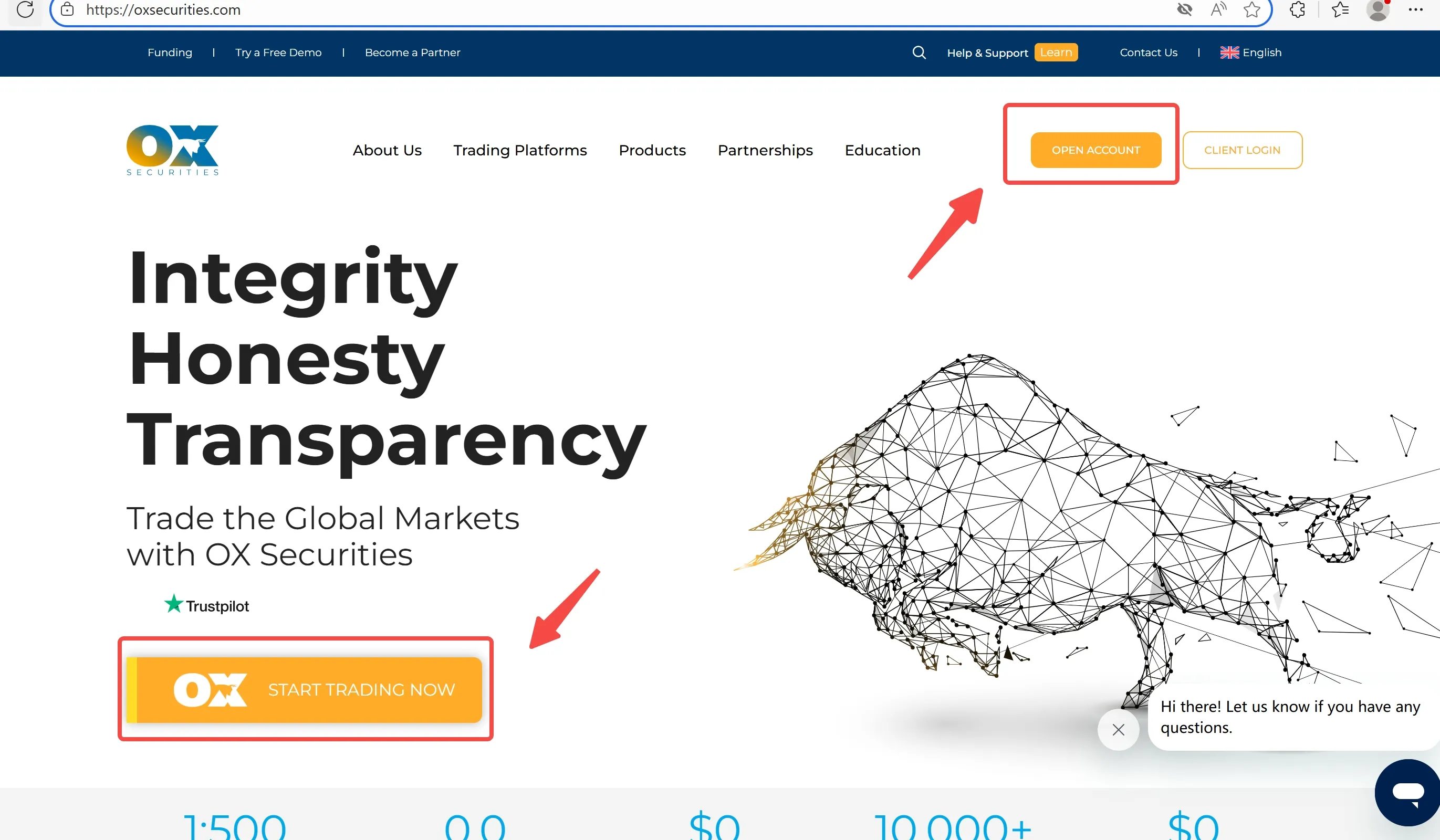
Step 1: Visit the official site oxsecurities.com and click “START TRADING NOW” or “OPEN ACCOUNT”
Step 2: Fill in personal information (name, email, phone)
Step 3: Choose account type and base currency
Step 4: Upload KYC documents (ID + Proof of address)
Step 5: Receive email confirmation and access your dashboard
Step 6: Login using your registered email and password
Common Questions about Logging into Ox Securities
How do I reset my login password?
Click “Forgot password” on the login page and follow the email instructions.
Can I register without uploading documents?
No, verification is mandatory for activating a live account.
Does login require two-factor authentication (2FA)?
No 2FA is mentioned, but secure login is recommended.
Can I open multiple accounts under one login?
Yes, you can manage multiple sub-accounts within one user profile.
Disclaimer:
The views in this article only represent the author's personal views, and do not constitute investment advice on this platform. This platform does not guarantee the accuracy, completeness and timeliness of the information in the article, and will not be liable for any loss caused by the use of or reliance on the information in the article.
WikiFX Broker
Latest News
First Light News: Chip Bounce Fails to Inspire Asia & France Weighs on Europe
WikiFXGlobal Markets Forecast: French Bond Yields Surge as Oil Retreats
WikiFXNigeria's Weekly Dollar Trading Falls 22% to $2.62 Billion as Forward Deals Plunge
WikiFXCFI Puts a Trading Behaviour Score and AI Assistant Inside Its App
WikiFXXTrend Speed Broker Exposed: What Are Other Traders Saying About This Broker?
WikiFXUS Dollar Price Forecast: Fed Hike Bets Fade, DXY Tests 102.18 as EUR/USD, GBP/USD Slip
WikiFXRBI Tightens Rupee Derivative Rules as Currency Hovers Near Record Low
WikiFXInside WeTrade’s Exclusive Houston Rockets VIP Experience in Macao
WikiFXLeading the Transparency Movement, The Trust Dialogue with Vatee
WikiFXWikiFX Invite & Earn Event Goes Live on Oct 21, Choose Between 100 Telegram Stars or 6-Month Premium
WikiFX