

Global Broker Regulation Inquiry App
About WikiFX
English
简体中文
繁體中文
English
Pусский
日本語
ภาษาไทย
Tiếng Việt
Bahasa Indonesia
Español
हिन्दी
Filippiiniläinen
Français
Deutsch
Português
Türkçe
한국어
العربية
اردو


NOZAX Login Guide: Access Your Trading Account Securely

WikiFX
|


Abstract:Nozax offers a seamless login experience for traders using the MetaTrader 5 (MT5) platform. Whether you're accessing your account via the web or mobile app, this guide provides step-by-step instructions to ensure secure and efficient login.
 Contents
How to Log In to Your Nozax Trading Account?
Web Login:
Step 1: Visit the Official Login Page: Navigate to the Nozax login portal: https://app.nozax.com/user-auth/login?lang=en
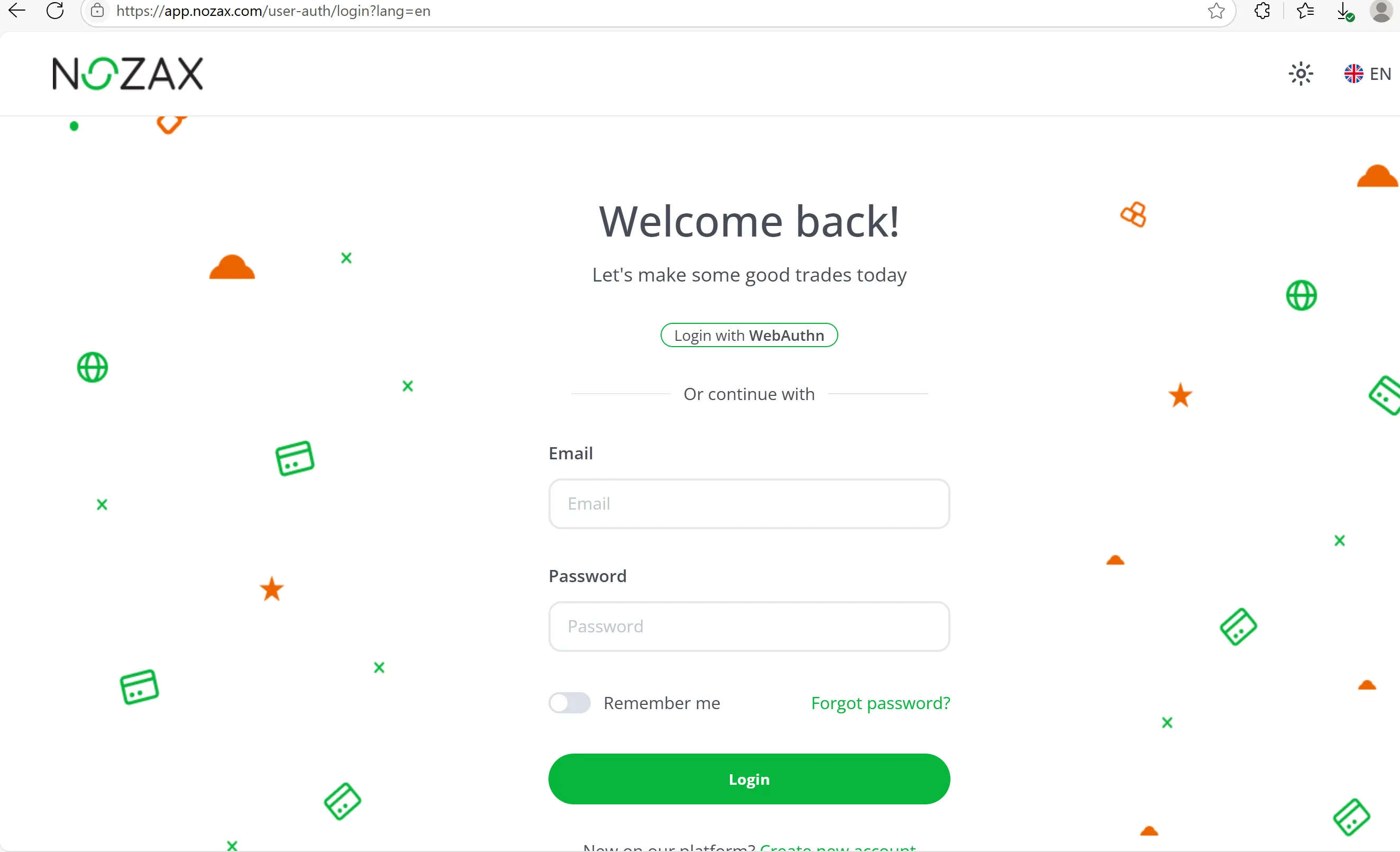
Step 2: Enter Your Credentials:
- Email Address: Input the email address you registered with.
- Password: Enter your secure password.
Step 3: Two-Factor Authentication (Optional but Recommended):
For enhanced security, enable two-factor authentication (2FA) in your account settings. This adds an extra layer of protection by requiring a second form of verification, such as a code sent to your mobile device.
Step 4: Click 'Login': After entering your credentials and completing any additional verification steps, click the 'Login' button to access your account.
Mobile App Login:
Step 1: Download the Nozax App: Install the Nozax trading app from the App Store (iOS) or Google Play Store (Android).
Step 2: Open the App: Launch the Nozax app on your mobile device.
Step 3: Enter Your Credentials:
- Email Address: Input your registered email.
- Password: Enter your secure password.
Step 4: Two-Factor Authentication (Optional but Recommended): If you've enabled 2FA, enter the verification code sent to your device.
Step 5: Tap 'Login': Access your trading account and manage your investments directly from your mobile device.
Accessing the MT5 Trading Platform
Once logged in, you can access the MT5 trading platform through the Nozax dashboard. The MT5 platform offers advanced charting tools, automated trading options, and a seamless user experience, catering to the needs of modern traders.
❓ Frequently Asked Questions (FAQs)
Q1: What should I do if I forget my password?
A1: If you've forgotten your password, click on the 'Forgot Password?' link on the login page. Follow the instructions to reset your password securely.
Q2: How can I enable two-factor authentication (2FA) for my account?
A2: To enable 2FA, log in to your account, navigate to 'Account Settings,' and select 'Security.' Follow the prompts to set up 2FA using your preferred method.
Q3: I'm experiencing issues logging in. What should I do?
A3: Ensure your internet connection is stable and that you're entering the correct credentials. If problems persist, contact Nozax support at support@nozax.com for assistance.
Q4: Can I access my account from multiple devices?
A4: Yes, you can log in to your Nozax account from multiple devices. However, ensure you're following security best practices to protect your account.
Q5: Is my account information secure?
A5: Yes, Nozax employs industry-standard security measures, including encryption and two-factor authentication, to protect your account information.
🛡️ Account Security Tips
- Use Strong, Unique Passwords: Combine uppercase and lowercase letters, numbers, and special characters.
- Enable Two-Factor Authentication (2FA): Add an extra layer of security to your account.
- Monitor Account Activity: Regularly review your account for any unauthorized transactions.
- Keep Your Devices Secure: Ensure your devices have up-to-date security software and are free from malware.
Disclaimer:
The views in this article only represent the author's personal views, and do not constitute investment advice on this platform. This platform does not guarantee the accuracy, completeness and timeliness of the information in the article, and will not be liable for any loss caused by the use of or reliance on the information in the article.
WikiFX Broker
Latest News
U.S. Dollar Gains Ground As Traders Focus On Middle East Tensions: Analysis For EUR/USD, GBP/USD, USD/CAD, USD/JPY
WikiFXEMAR MARKETS Review: What Traders Should Know Before Depositing
WikiFXELEV8 Review 2026: Fast Withdrawal Praise, Deposit Complaints & Regulation Explained
WikiFXUS Interest Rate Forecast: Oil Rally Fuels December Fed Hike Risks
WikiFXSeven Detained in an Investment Scam Call Centre Raid
WikiFXOil Prices Retreat as Fed and ECB Decisions Loom
WikiFXIndia's Forex Reserves Slip to $721 Billion as Gold Holdings Rise $706 Million
WikiFXNaira Slips to N1,361.84 per Dollar as CBN Data Shows N27 Loss in Two Sessions
WikiFXMAS Brings Malaysia and Thailand Central Banks Into Bloom Digital Money Push
WikiFXED Makes Sixth Arrest in Pan-India Digital Arrest Fraud Case Worth INR 30K Crore
WikiFX