

Global Broker Regulation Inquiry App
About WikiFX
English
简体中文
繁體中文
English
Pусский
日本語
ภาษาไทย
Tiếng Việt
Bahasa Indonesia
Español
हिन्दी
Filippiiniläinen
Français
Deutsch
Português
Türkçe
한국어
العربية
اردو


How to Login to IQCent: Web and Mobile App Access

WikiFX
|


Abstract:Learn how to log into IQCent, use its platform across devices, and ensure secure login access. Understand app login and account security features.
 Contents
How Do I Log Into the IQCent Platform?
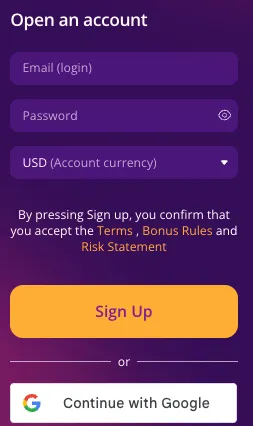
Users can log in via the official website using their registered email and password. No additional software is required; a browser and internet connection are sufficient.
Is There an IQCent App for Login and Trading?
IQCent claims universal access from any device, but there is no confirmed official mobile app. Users can trade directly from web browsers on both desktop and mobile devices.
How Can I Secure My IQCent Login?
- Use a strong, unique password.
- Avoid public networks for trading.
- Bookmark the official IQCent website to prevent phishing.
- Enable additional security features if offered.
FAQs About IQCent Login
Is there an IQCent app to download?
There is no confirmed official mobile app; trading is browser-based.
How do I reset my password?
Password recovery is available via the login page with your registered email.
Can I log in from multiple devices?
Yes, the platform is accessible from any internet-enabled device.
Does IQCent require account verification?
Verification is usually required for withdrawals, though login is immediate.
How do I know the login page is secure?
Look for the secure HTTPS connection and use the official domain.
Is the platform accessible without software installation?
Yes, it is fully web-based and requires no downloads.
Disclaimer:
The views in this article only represent the author's personal views, and do not constitute investment advice on this platform. This platform does not guarantee the accuracy, completeness and timeliness of the information in the article, and will not be liable for any loss caused by the use of or reliance on the information in the article.
WikiFX Broker
Latest News
Oil Prices Retreat as Fed and ECB Decisions Loom
WikiFXEMAR MARKETS Review: What Traders Should Know Before Depositing
WikiFXSeven Detained in an Investment Scam Call Centre Raid
WikiFXMarry Mubaiwa: Ex-wife of Zimbabwe\s vice-president freed after collapse of attempted murder case
WikiFXED Makes Sixth Arrest in Pan-India Digital Arrest Fraud Case Worth INR 30K Crore
WikiFXNaira Slips to N1,361.84 per Dollar as CBN Data Shows N27 Loss in Two Sessions
WikiFXFirst Light News: AI Trade Boosted on Anthropic IPO Filing as Brazil Slumps
WikiFXIndia's Forex Reserves Slip to $721 Billion as Gold Holdings Rise $706 Million
WikiFXSBI Chief Expects 50 bps RBI Rate Hike in December, Sees Consumer Credit Cooling
WikiFXU.S. Dollar Gains Ground As Traders Focus On Middle East Tensions: Analysis For EUR/USD, GBP/USD, USD/CAD, USD/JPY
WikiFX