Abstract:WikiFX Chrome Plugin is a browser extension that helps traders verify the authenticity of a broker's website quickly and easily. The plugin accesses WikiFX's database to provide essential information about the broker's credibility, including regulatory compliance, background, and customer feedback. It helps traders avoid fraudulent brokers and make informed decisions about their investments.
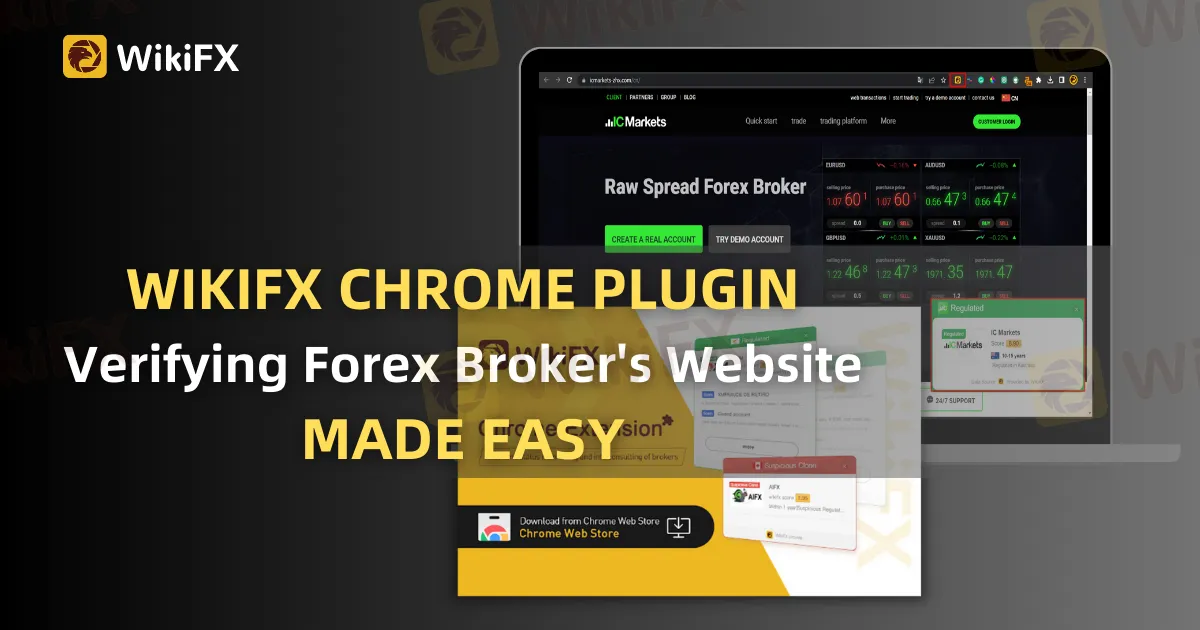
Choosing the correct dealer is critical when it comes to dealing in financial markets. With so many agents accessible online, determining which one is dependable and trustworthy can be difficult. The WikiFX Chrome extension is a potent utility that can assist you in verifying the legitimacy of a broker's website, making the broker selection process simpler and more secure.
 Contents
What is WikiFX?
WikiFX is a worldwide Forex research tool that offers detailed information on Forex dealers. It gathers information from various sources, such as governmental agencies, consumer comments, and internet evaluations, to assess the trustworthiness of traders. To assist buyers in making educated choices, WikiFX offers comprehensive information about exchanges, including their laws, history, goods, and services.

WikiFX Chrome Plugin
The WikiFX Chrome tool is a computer addon that can assist you in determining the legitimacy of a broker's website. With a single click, the application can compare the broker's website to the WikiFX directory and provide you with the information you need to assess the broker's trustworthiness.

How Do You Install the WikiFX Chrome Plugin?
The WikiFX Chrome extension installation process is simple. Here are the measures to take:
Go to the Chrome Web Store in your Google Chrome browser.
Look for WikiFX and then select the 'Add to Chrome' option.
A new window will open, requesting approval. Select the 'Add Extension' option.
Wait for the process to finish.
WikiFX will show in the upper right area of your screen.
How to Use WikiFX Chrome Plugin?
It is very easy to use the WikiFX Chrome extension. Here are the measures to take:
Navigate to the broker's page that you want to check in Google Chrome.
In the upper right area of your screen, click the WikiFX symbol.
A new window will open, displaying the broker's ranking, legislation, and other important details.
You can also peruse the clients' comments about the dealer by clicking on the 'Review' option.
If the exchange is not found in the WikiFX directory, the application will show that it has not been validated.

Why Use WikiFX Chrome Plugin?
There are numerous advantages to using the WikiFX Chrome extension. Here are some of the benefits of using the plugin:
Quickly and simply validate the legitimacy of a broker's website.
Based on regulation conformance, history, and client comments, assess the broker's trustworthiness.
By having all of the required information in one location, you can save time and effort when investigating agents.
Protect your assets by avoiding fake agents.
Conclusion
Choosing a trustworthy dealer is an important stage in your investing path. The WikiFX Chrome extension can swiftly and simply validate the legitimacy of a broker's website. You can make educated choices and avoid bogus agents if you have all of the required information in your hands. Install the WikiFX Chrome extension immediately and start easily checking dealer websites!
Download and install the WikiFX App to stay updated on the latest news.
https://social1.onelink.me/QgET/px2b7i8n